接入Discord
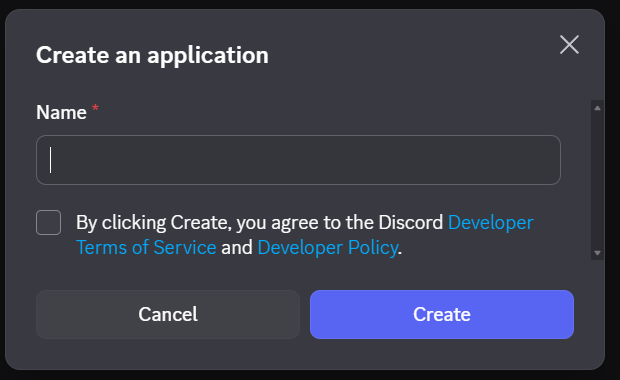
1. 打开 Discord 开发者平台,点击New Application,创建一个应用。

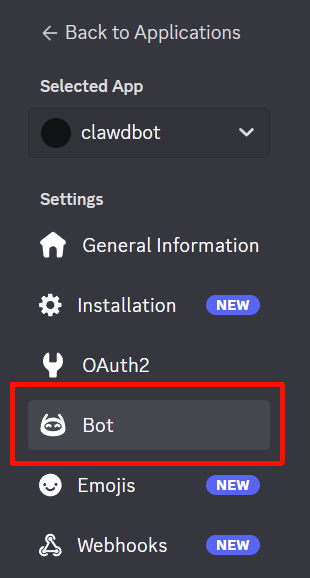
2.进入应用页面,点击左侧的Bot,首次进入需要点击Token出的Reset,获取Token后复制。

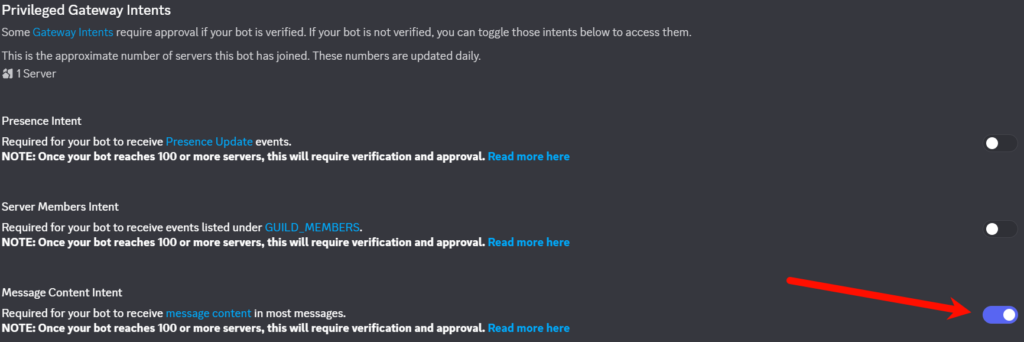
3.开启相关权限,同样在Bot页面中,在Privileged Gateway Intents中打开Message Content Intent选项
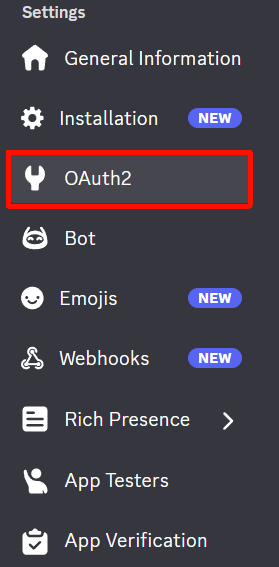
4.点击左侧OAuth2,在OAuth2 URL Generator的Scopes中勾选bot和applications.commands,Bot Permissions中勾选Send Messages、Embed Links、 Read Message History、Use Slash Commands
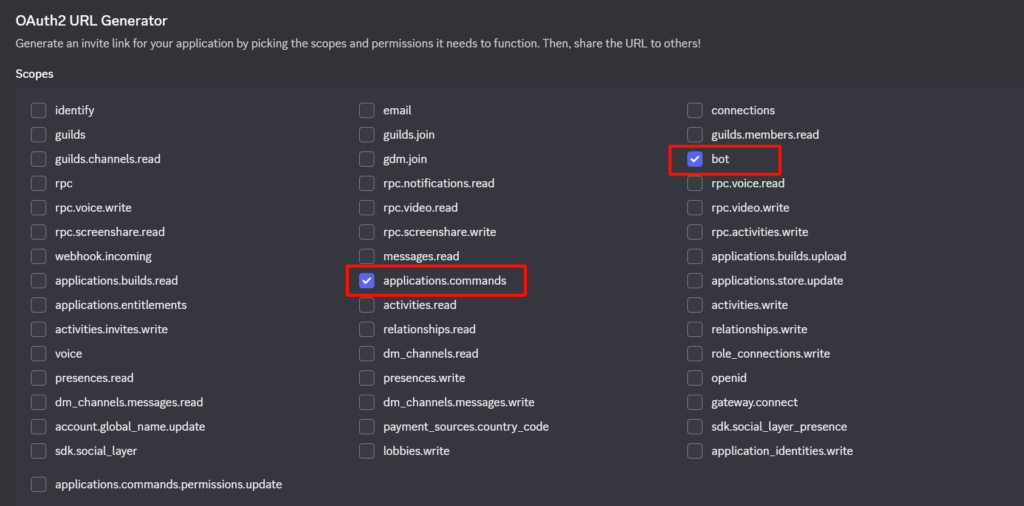
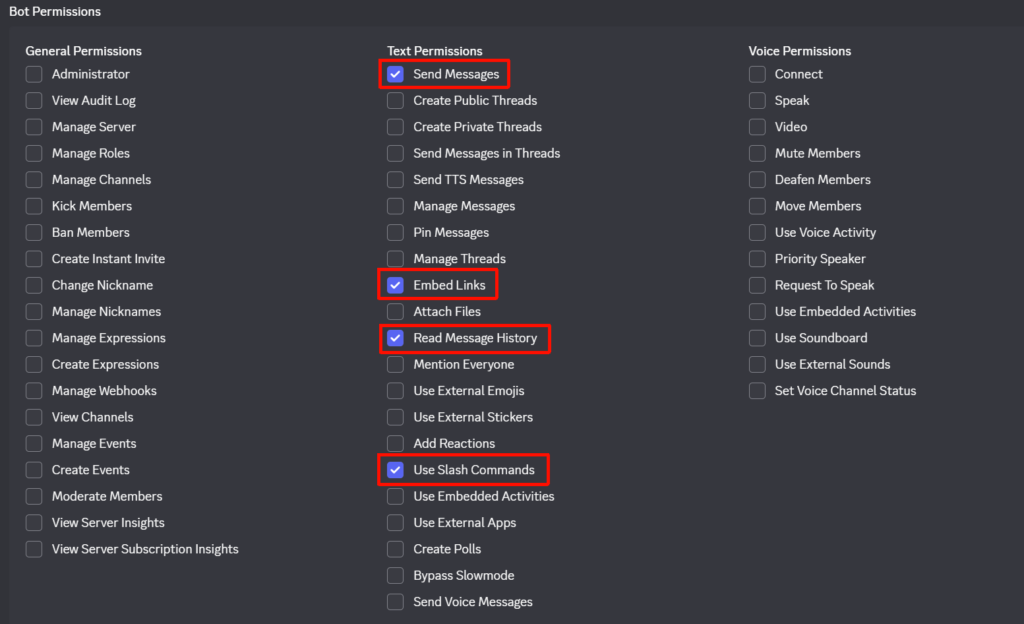
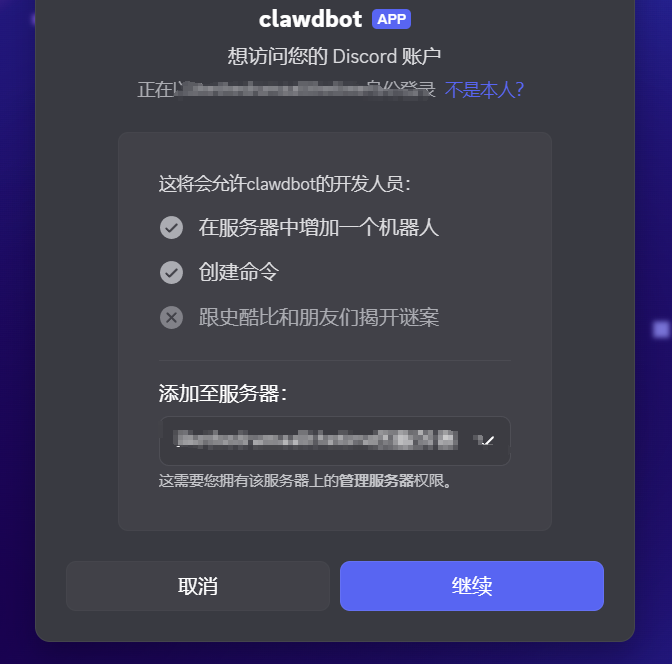
5.最后复制底下的Generated URL,在浏览器打开,将 Bot 邀请到你的 Discord 服务器,在服务器中看到bot进入即为成功邀请了。


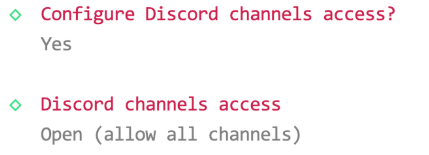
6.返回终端继续完成clawdbot配置,最重要的就是要开放所有频道。

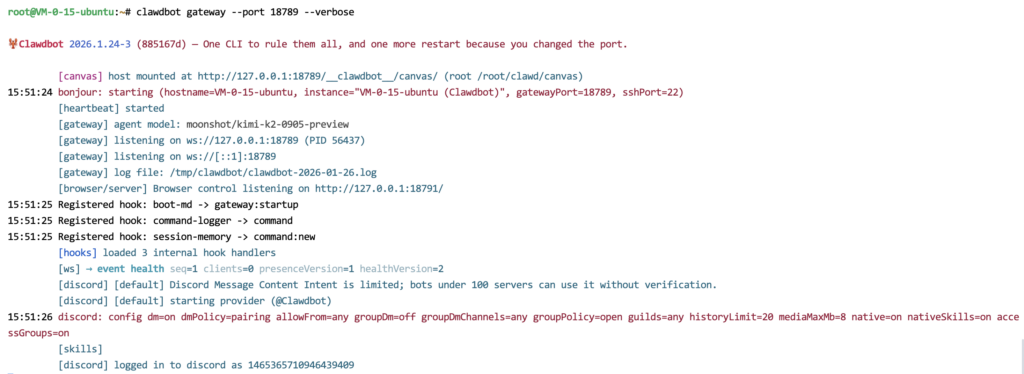
7.在配置完成后,退出当前配置会话,并输入以下命令,启动Gateway
clawdbot gateway --port 18789 --verbose如果提示已经启动了Gateway,则输入以下命令停止,然后再启动
clawdbot gateway stop启动效果如下:
8.启动成功后,我们返回Discord,与bot进行对话后拿到配对码:切记这里一定需要和bot进行私聊!!!
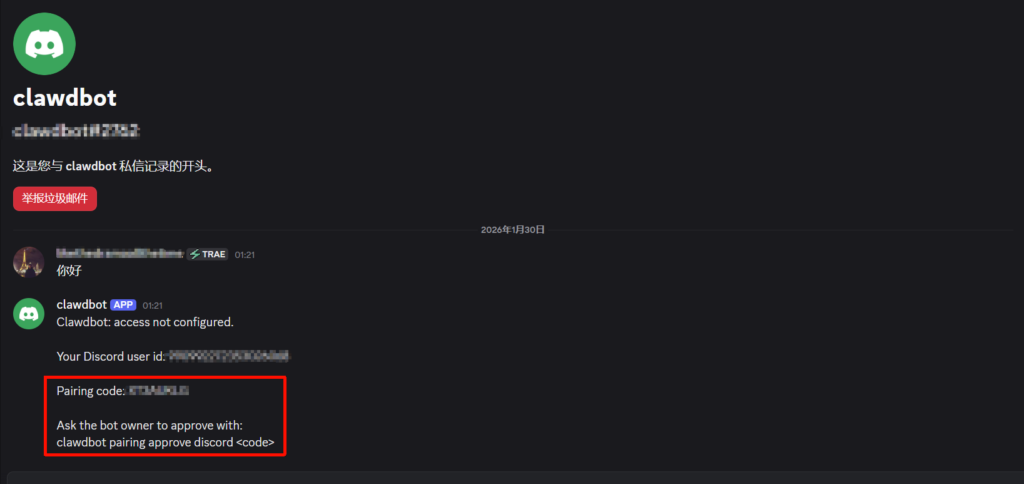
拿到配对码后,返回终端退出刚刚的会话,输入
clawdbot pairing approve discord <code>执行完成后再次执行如下命令运行Gateway,然后回到Discord与bot进行对话,如果正常回复则说明部署成功:
clawdbot gateway --port 18789 --verboseCron循环任务
查看所有cron任务
openclaw cron list查看任务状态
openclaw cron status设置一个cron任务
openclaw cron add \
  --name "任务名称" \
  --cron "cron表达式" \
  --tz "Asia/Shanghai" \
  --session main|isolated \
  --message "任务描述" \
  --system-event "系统事件描述" \
  --wake now|next-heartbeat \
  --deliver \
  --channel last|whatsapp|telegram \
  --to "接收者ID" \
  --model "模型名称" \
  --thinking off|minimal|low|medium|high \
  --agent "代理ID" \
  --delete-after-run
参数说明:
- –name:任务名称(必需)
- –cron/–at/–every:调度方式(必需)
- –tz:时区(可选)
- –session:会话模式(main/isolated)
- –message:agent 提示(isolated 模式)
- –system-event:系统事件(main 模式)
- –wake:唤醒方式(now/next-heartbeat)
- –deliver:是否投递(true/false)
- –channel:目标渠道
- –to:接收者 ID
- –model:模型覆盖
- –thinking:思辨等级
- –agent:代理 ID
- –delete-after-run:成功后删除
多agent配置
添加一个名为work的agent,并指定工作空间为workspace-work
openclaw agents add work --workspace ~/.openclaw/workspace-work查看所有的agents
openclaw agents list当然,也可以手动编辑 ~/.openclaw/openclaw.json
{
  agents: {
    list: [
      {
        id: "main",
        default: true,
        name: "Main",
        workspace: "~/.openclaw/workspace",
        agentDir: "~/.openclaw/agents/main/agent",
      },
      {
        id: "work",
        name: "Work Agent",
        workspace: "~/.openclaw/workspace-work",
        agentDir: "~/.openclaw/agents/work/agent",
        model: "anthropic/claude-opus-4-5",
      },
      {
        id: "ops",
        name: "Ops Agent",
        workspace: "~/.openclaw/workspace-ops",
        agentDir: "~/.openclaw/agents/ops/agent",
        model: "anthropic/claude-sonnet-4-5",
      },
    ],
  },
}
多浏览器配置
创建新的配置
openclaw browser create-profile --name work删除配置
openclaw browser delete-profile --name work多供应商OAuth认证
OAuth 登录流程
openclaw models auth login添加 token
openclaw models auth add粘贴 token
openclaw models auth paste-token使用 setup token
openclaw models auth setup-token管理 auth 顺序
openclaw models auth order get/set/clear <model_name>